
01 · Stock
Every item in its place.
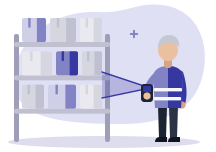
Items sit in locations: shelf, aisle, depot. You see the quantity in each place and the total.
- Item record and locations
- Quantity per location
- Stock readable from the mobile app
StrucTime Gestion · Operations
Each item has its location, in the depot or the workshop. Movements are tracked, and an item under its threshold rises to restocking.
01 · Stock
Items sit in locations: shelf, aisle, depot. You see the quantity in each place and the total.
02 · Stock
Stock in or out is recorded in one step. The movement log says who took what, and when.

03 · Stock
Inventory is counted location by location, and gaps are corrected. Items under their threshold rise to the restock list.

With the other modules
What you buy enters stock on receipt, and every exit is tracked.
1
The supplier order prepares the entry.
2
Received items enter their location.
3
Equipment goes out, logged.
4
Under the threshold, the item is flagged to order.
Operations
Questions
Yes. Stock is readable from the mobile app.
Yes. Inventory is counted location by location, and gaps are corrected.
We import your item list at onboarding, and the demo starts from your depot. Stock is included in the subscription.