
01 · Purchasing
From request to order.
A foreman asks, the manager orders. Supplier quotes and orders are tracked supplier by supplier.
- Purchase requests
- Supplier quotes and orders
- Supplier records and import

StrucTime Gestion · Operations
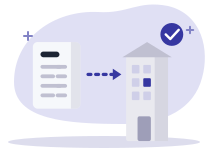
The order goes to the supplier, the delivery is received and the invoice is matched to both. A price or quantity gap shows before payment.

01 · Purchasing
A foreman asks, the manager orders. Supplier quotes and orders are tracked supplier by supplier.
02 · Purchasing
The delivery is received against the order. When the invoice arrives, matching compares order, receipt and invoice.
03 · Purchasing
Your suppliers’ electronic invoices land in the inbox. You accept them, attach them to their order and pay them.
With the other modules
A received order enters stock, and the paid invoice joins the accounts.
1
The order goes to the supplier.
2
Received items enter stock.
3
It is matched with order and receipt.
4
The purchase entry joins the accounts.
Operations
Questions
Yes. They land in the software’s inbox, ready to match.
The invoice is compared with the order and the receipt. A price or quantity gap shows before payment.
In the demo we match a supplier invoice with its order and delivery. Purchasing is included in the subscription.