
01 · Documents
Folders and types.
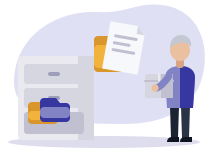
Documents are filed in folders, with a type that classifies them. The bin keeps what was deleted by mistake.
- Folders and document types
- Upload and edit
- Bin
StrucTime Gestion · Operations
Documents sit in folders and keep all their versions. A folder is shared by a link that expires.
01 · Documents
Documents are filed in folders, with a type that classifies them. The bin keeps what was deleted by mistake.
02 · Documents
Each new upload creates a version. A past version can be restored, and the history stays complete.

03 · Documents
A document is archived with its retention period and fingerprint. A folder is shared by link with a customer or partner, and the link expires.

With the other modules
The company’s documents live in the same software as your jobs and customers.
1
The document lands in its folder.
2
Each update keeps the previous one.
3
The folder goes out by link.
4
It is kept as long as needed.
Questions
Yes. Each upload creates a version, and a past one can be restored.
In the demo we share a job folder by link. Document management is included in the subscription.